Deploy an Endpoint for Instance segmentation Mask R-CNN
1. Subscribe to the offering
- Log in to AWS with a user with administrative privileges
- Navigate to the Instance segmentation Mask R-CNN listing on the AWS Marketplace
- Click
Continue to Subscribe - Click on
Accept offer(it might take 1 or 2 minutes for AWS to accept the offer)- Note that there is no charge for subscribing to this offering
- Billing starts only when launching a Model Endpoint on SageMaker
- Once you are subscribed click
Continue to Configuration - On the
Configure and launchpage- Select
SageMaker consoleas the Launch Method (you can also use the AWS CLI) - Select the version and region where you want to launch the model endpoint
- On
Amazon SageMaker optionsselectCreate a real-time inference endpoint
- Select
- Click on
View in Amazon SageMaker
2. Create the endpoint
In the Create endpoint page:
- Select a
Model namee.g.my-instance-segmentation - Select or create a new IAM role for executing the model
- Under
Container definition:- Verify
Use a model package subscription from AWS Marketplaceis selected
- Verify
- Click on
Next - Select an
Endpoint namee.g.my-instance-segmentation - Under
Attach endpoint configurationselect:Create a new endpoint configuration - Under
New endpoint configuration:- Verify the new model (e.g.
my-instance-segmentation) is listed underProduction variants - Click on
Editin theActionscolumn to select the instance types you want for the endpoint. The minimun recommended isml.c5.xlarge - Click on
Create endpoint configuration
- Verify the new model (e.g.
- Finally click on
Submit
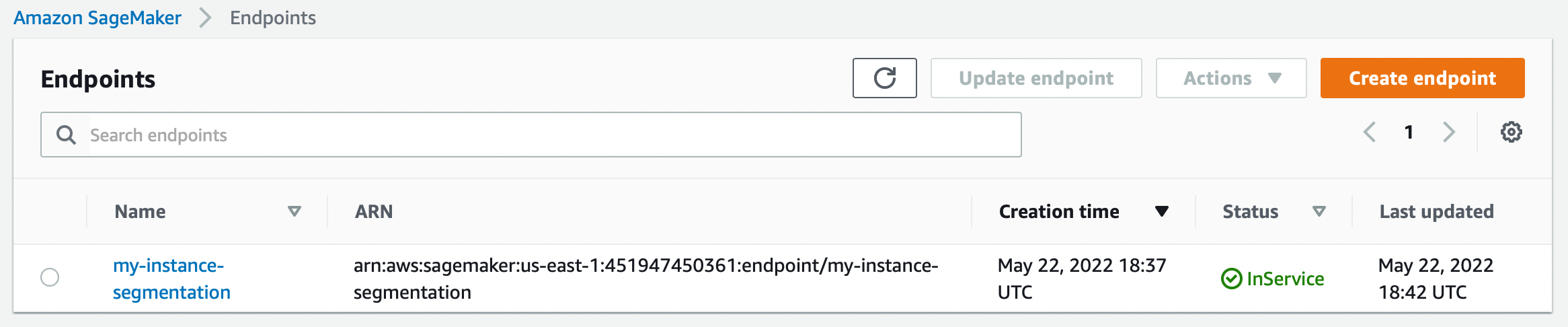
A new endpoint will be created (this might take a couple of minutes):
3. Making a query
With the endpoint ready you will have an URL to make predictions, for example:
SageMaker Endpoint URL
https://runtime.sagemaker.us-east-1.amazonaws.com/endpoints/instance-segmentation-mask-r-cnn/invocations
This endpoint requires authentication using the AWS Signature Version 4
- For complete documentation on how to query this endpoint see the AWS Docs: InvokeEndpoint documentation in AWS.
- For example: using Python.
We also provide example code to make a query to this Invocations endpoint on the API docs.